
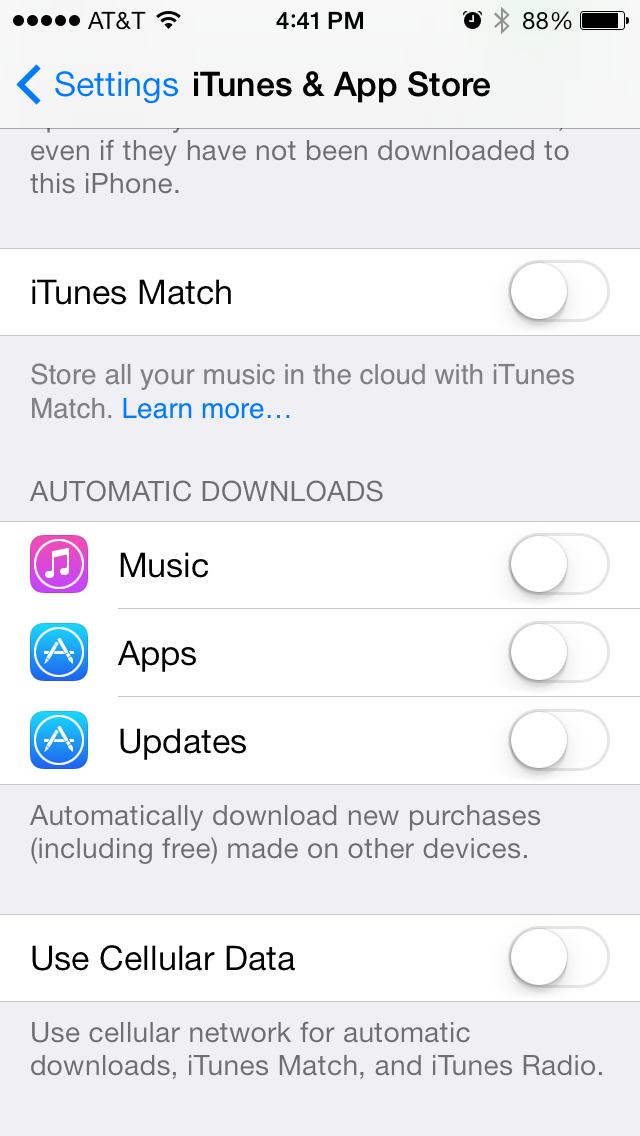
 If you have updated to iOS7, you may notice now that your apps will automatically update themselves now whenever there is a new update available. This is something Android has had for a while and can be a good thing if you are usually lazy to update. However, not everyone wants their apps to update automatically because new updates can sometimes be broken and some like to wait a few days just to make sure the new updates are good.
There’s a really easy way to toggle this setting. Just go into (Settings > iTunes & App Store) and the scroll down to the AUTOMATIC DOWNLOADS section. There you’ll see the toggle for “Updates.” Just flip that on or off depending on your preference.
 The Gamer With Kids