

Hotkeys and macros are a staple of many creative apps. While it is true that you can use a keyboard for this, it’s not quite as intuitive as it should be. That’s where something like the Huion Keydial Mini K20 comes into play. The Huion Keydial Mini K20 is a compact and versatile accessory that can enhance your drawing experience with pen tablets, pen displays, and other devices. It is a one-handed keyboard that supports Bluetooth connection and has 18 customizable keys and a dial.
DESIGN
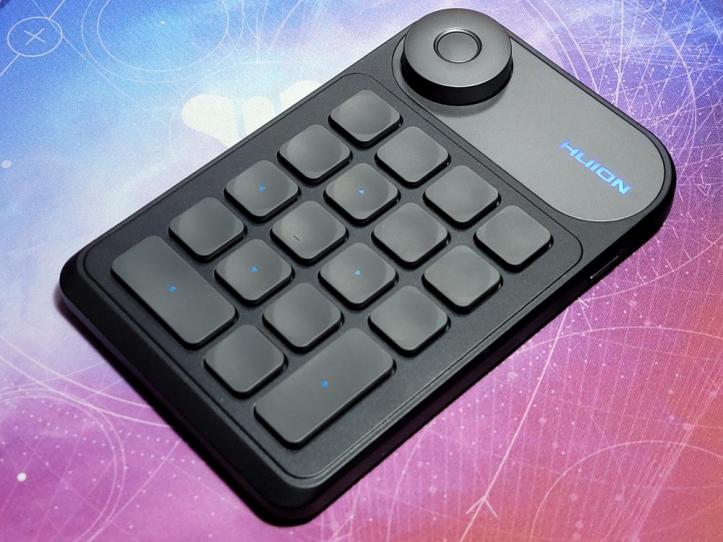
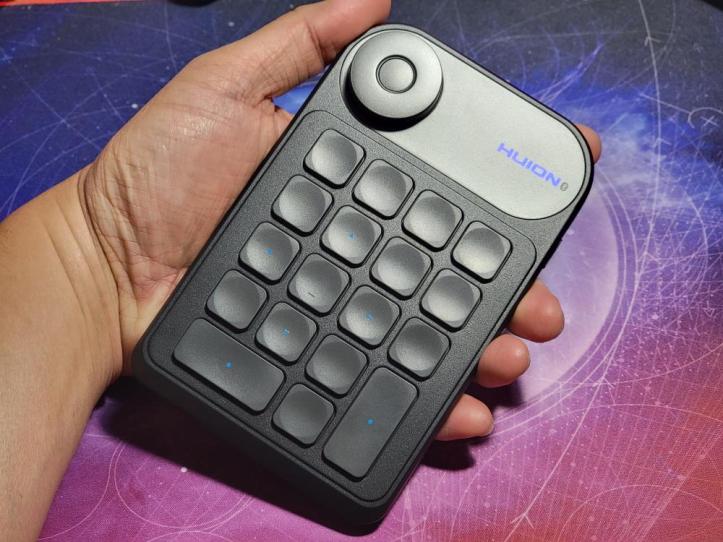
The Huion Keydial Mini K20 has a sleek and minimalist design that matches well with any device or setup. It is made of durable plastic with a matte finish that feels smooth and comfortable in your hand. It is also lightweight and portable, weighing only 0.4 lbs. You can easily carry it around in your bag or pocket.
The Huion Keydial Mini K20 has a simple layout that is easy to use and navigate. It takes the familiar layout of the right numeric keypad on a standard keyboard, along with all the keys surrounding it. The keys are slightly curved and have a concave shape that fits your fingers well. There is a rotating dial at the top left corner with a button.
The Huion Keydial Mini K20 has a black color scheme with blank keys. The only printing is seen on the arrow keys with the logo in the top right corner. The logo does light up when turned on and is the only indication that the Keydial Mini K20 is on. There are stickers included in the package that you can use to label your keys, but I left it blank as it looks better like this.
FEATURES
The Huion Keydial Mini K20 has several features that make it a useful tool for artists and creators. Some of the main features are:
- Bluetooth connection: The Huion Keydial Mini K20 can connect to your device wirelessly via Bluetooth, which means you don’t have to deal with cables or USB ports. You can also use it with your mobile device, such as a smartphone or tablet, as long as it supports Bluetooth. The Bluetooth connection is stable and easy to set up, and you can switch between different devices by pressing the power button.
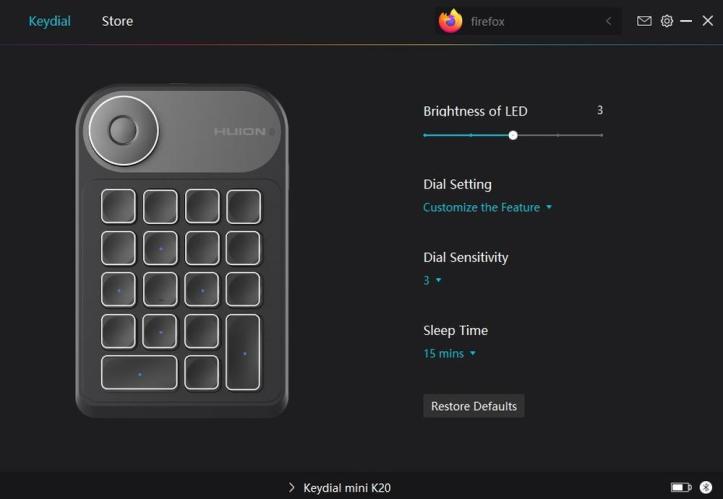
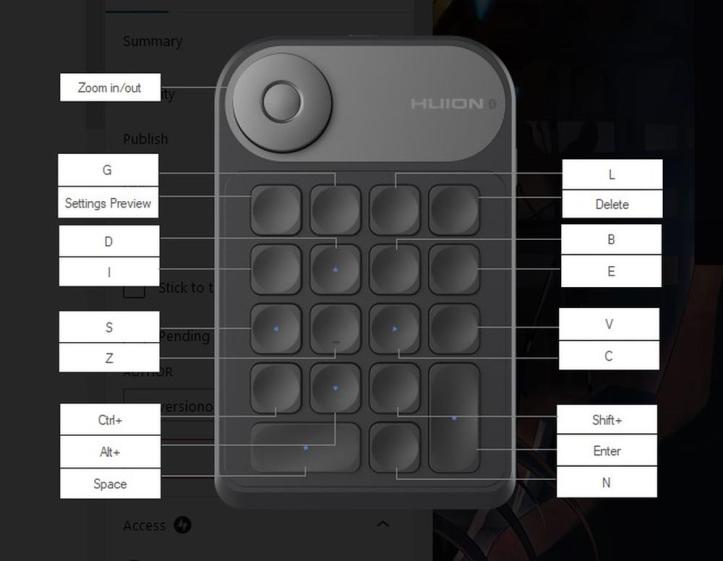
- 18 customizable keys: The Huion Keydial Mini K20 has 18 keys that you can assign different functions to according to your preferences and needs. You can use the Huion driver or the HuionKeydial app to customize the keys for different applications.
- Dial: The Huion Keydial Mini K20 has a dial that you can use to adjust various parameters, such as brush size, zoom level, rotation angle, etc. The dial is smooth and precise, and has a satisfying click when you turn it. You can also press the dial to switch between different functions or modes. The dial is located at the top left corner of the keypad, which makes it easy to reach and operate with your thumb.
- Battery life: The Huion Keydial Mini K20 has a built-in rechargeable battery that can last for up to 40 hours of continuous use. You can charge it with the included USB-C cable, which also supports wired connection if you prefer. The battery indicator light will show you the battery level and charging status.
EXPERIENCE
The Huion Keydial Mini K20 is a great accessory that can enhance your drawing experience with pen tablets, pen displays, and other devices. It allows you to access various functions and shortcuts with one hand, while using your other hand to draw with your pen. This way, you can work more efficiently and comfortably without having to reach for your keyboard or mouse.
The Huion Keydial Mini K20 is compatible with Windows, macOS, Android, and iOS devices. You can use it with various applications that support keyboard shortcuts or dial functions, such as Photoshop, Illustrator, Clip Studio Paint, Procreate, etc. Note that functionality with Android and iOS is limited and you’re better off sticking to Windows or Mac if you’re using this.
You can also use it for other purposes, such as gaming, browsing, editing, etc.
The Huion Keydial Mini K20 is easy to set up and use. You just need to download the Huion driver or the HuionKeydial app from their official website, connect the Keydial Mini to your device via Bluetooth or USB-C cable, customize the keys and dial functions according to your preferences, and start using it.
The Huion Keydial Mini K20 works well with no noticeable lag or delay. The keys are responsive and tactile, and have clear feedback when pressed. The dial is smooth and precise, and has a satisfying click when turned. The battery life is long-lasting and reliable.
The Huion KeyDial Mini K20 is customizable, with the ability to map each key to different keyboard and mouse shortcuts, key combinations, and functions, but you cannot map complex macros with it. That’s the one area where it is lacking and would have ultimately made it more useful for other functions aside from what it was designed for.
FINAL THOUGHTS
The Huion Keydial Mini K20 is a compact and versatile accessory that can enhance your drawing experience with pen tablets, pen displays, and other devices. It has 18 customizable keys and a dial that you can use to access various functions and shortcuts with one hand, while using your other hand to draw with your pen. It supports Bluetooth connection and has a long battery life. It has a sleek and minimalist design that matches well with any device or setup. It is compatible with Windows, macOS, Android, and iOS devices, and works well with various applications that support keyboard shortcuts or dial functions.
While it has some faults, the Huion Keydial Mini K20 is a great product for artists and creators who want to work more efficiently and comfortably without having to reach for their keyboard or mouse. It is also a good product for anyone who wants a compact and portable keypad that can be used for different purposes, such as gaming, browsing, editing, and more.
SHOP LINK
Thank You for Visiting TheGamerWithKids
I love bringing you guys the latest and greatest reviews whether it be apps or gadgets, but hosting and maintaining a website doesn’t come cheap. If you would like to purchase any of the items mentioned on the site, please do so by clicking our links to Amazon first and then purchasing the items. This way, we get a small portion of the sale and this helps me run the website. Thanks!
 The Gamer With Kids