
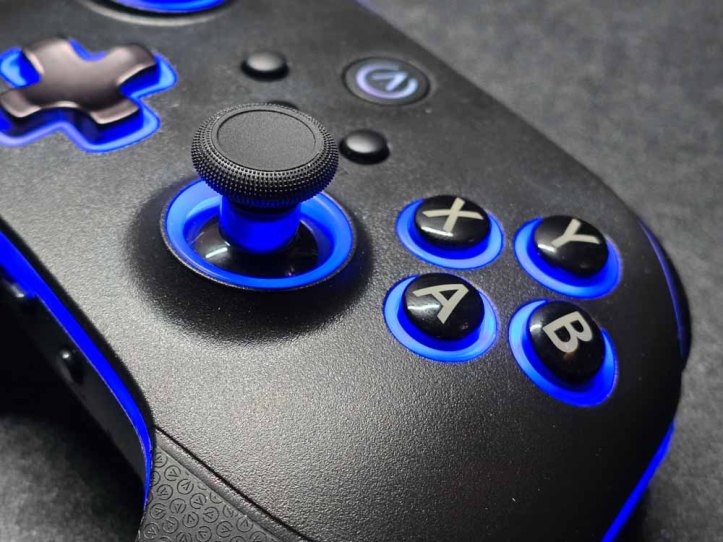
PowerA’s most customizable and powerful controllers are no doubt the Fusion series of controllers. The latest ones are their most advanced, but PowerA also has another line of powerful controllers called the OPS that is made specifically for PC, Cloud, and Mobile. In this instance, we are looking at the PowerA OPS V3, which provides much of what the Fusion Pro 4 offers but more.
DESIGN
The PowerA OPS V3, at first sight, looks very similar to the Fusion Pro 4. In fact, you’d be forgiven if you thought that’s what this was. But, there are some slight differences that make this better. First, the similarities.
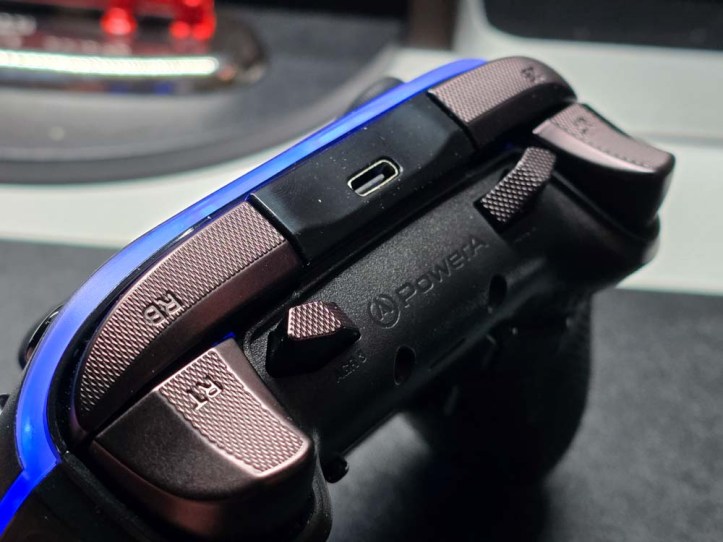
The texture’s rubber grips feel great. They aren’t super rubbery where it feels squishy, and the textures add tactile grip. I also like how the texture elements are tiny PowerA logos. I should note that the back buttons are also textured the same way for consistency. The triggers and bumpers have a solid feel to them. The bumpers make a nice clicky noise, while the triggers feel really smooth. These are also textured with tiny PowerA logos.
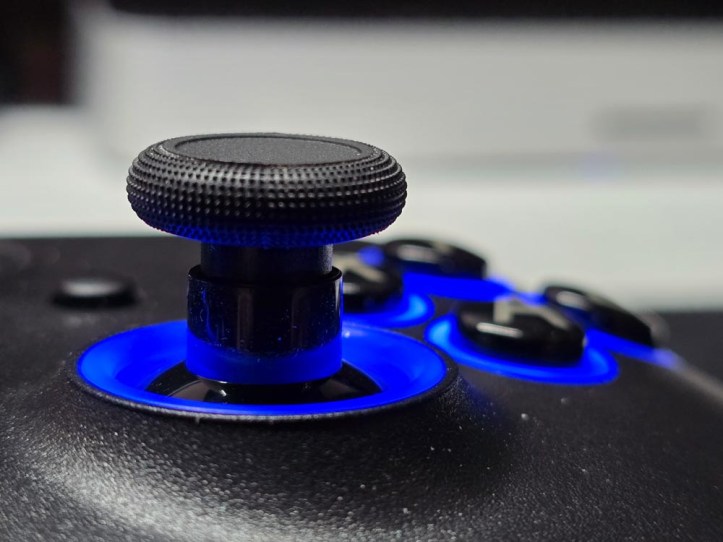
The sticks on the OPS V3 also feature PowerA’s patent pending Quick-Twist Thumbsticks that allow for height adjustments with a twist.
Now for the differences. First, the Xbox’s dedicated X button is replaced with one with the PowerA logo. It basically does the same thing, though. The Share button is replaced with a new Turbo button, meaning the controller does have a turbo option. However, the biggest difference is the inclusion of Lumectra, multi-zone RGB lighting.
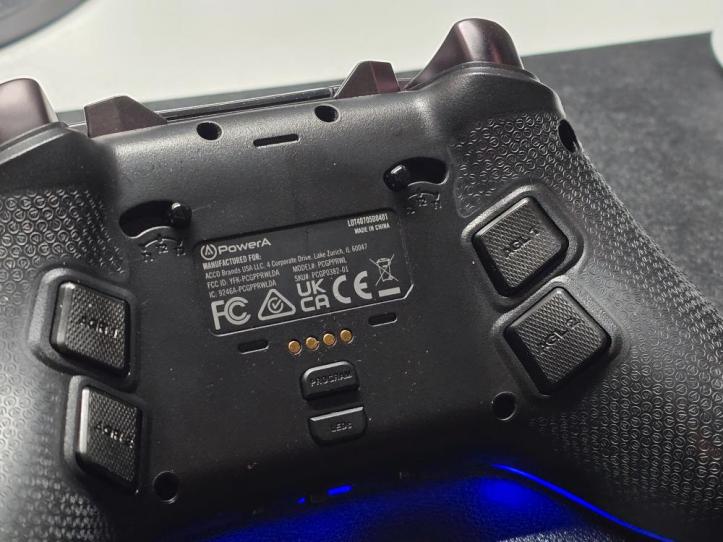
On the rear, there are still 4 programmable back buttons, but these are slightly different shaped, being more squared, but also protruding out a bit more. The back also features a new LED button for customizing Lumectra. You’ll also notice contact points for wireless charging.
Lastly, up top, there are two new programmable buttons located on the inside of the bumpers. At first, I though these were oddly placed button, but they’re actually pretty easy to reach.
SPECS
What makes the Power OPS V3 so special are the features. This is a wireless controller that features three-way connect. You can use the included low latency 2.4GHz dongle, Bluetooth, or wired. Second, this controller also features Hall Effect Effect sticks and triggers. That means you no longer need to worry about stick drift when gaming. Not only that, the Hall Effect sensors are more precise and last longer. Not only that, but the buttons have been upgraded short travel, mechanical switches.
Other notable specs include 3-way trigger locks, 6 mappable buttons that can be programmed on the fly, textured rubber grips, dual rumble motors, a Turbo Button, multi-zone RGB lighting, and an included wireless charging stand.
I’ll point out the Quick-Twist Thumbsticks again since this is also a standout feature.
EXPERIENCE
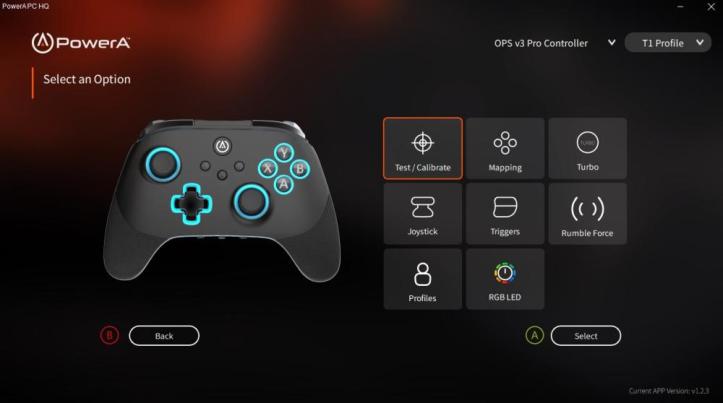
While not necessary, consider installing the PowerA PC HQ app. This app makes customizing the PowerA OPS V3 so much easier. This lets you fine-tune various aspects of the controller, such as deadzones, vibration settings, calibration, and more. While it’s not needed for on-the-fly button remapping, it is a helpful app for tuning.
But even without the app, customizing everything directly from the controller is simple and intuitive. I like that this controller has three different controller profiles you can use, so I currently have two profiles set for different games I’m currently playing.
Once I had the PowerA Fusion Pro 4 set up exactly how I wanted it, the rest was history. The controls are precise and quick, while the controller felt great in my hands. The weight makes it feel solid but still super comfortable to hold.
Since this is a wireless controller, I am really appreciative that this includes a charging stand. I don’t need to fiddle with cables and can just drop directly on the charger to charge. Not only that, the charging stand also houses the 2.4GHz wireless dongle. If you do need to use the controller in wired mode or in Bluetooth mode, it’s as simple as flicking a switch to change connection modes.
FINAL THOUGHTS
The PowerA OPS V3 could easily be an Xbox controller, but it’s not. It’s built specifically for PC, cloud gaming, and mobile and is a fantastic option for those not playing on a console. It does cost quite a bit more than the Fusion Pro 4 controller, but you get the added benefits of wireless and two extra programmable buttons, not to mention Lumectra.
It is still fairly affordable compared to other pro-level controllers and does quite a bit more. The Hall Effect sticks and triggers are more than enough reason to pick this up.
SHOP LINK
Thank You for Visiting TheGamerWithKids
I love bringing you guys the latest and greatest reviews whether it be apps or gadgets, but hosting and maintaining a website doesn’t come cheap. If you would like to purchase any of the items mentioned on the site, please do so by clicking our links to Amazon first and then purchasing the items. This way, we get a small portion of the sale and this helps me run the website. Thanks!
This review is made possible with my affiliation with G Style Magazine. These items were sent to us by the company or their PR reps for review and evaluation. It is also featured on the G Style Magazine website which is a tech blog that focuses on the fashion aspect of tech. Please visit their site for more interesting reviews on all your favorite gadgets and gear.
 The Gamer With Kids