

A couple of days ago, we posted the review for the PowerA Fusion Pro 4 wired controller. This is an Xbox/PC controller with pro-level features such as programmable buttons and Hall effect sticks and triggers. Today, we’re looking at essentially the wireless version of that with the PowerA Fusion Pro Wireless Controller, except that this controller has different aesthetics for those who want their controllers to be a lot more flashy and don’t want to be tied down with a cable.

DESIGN
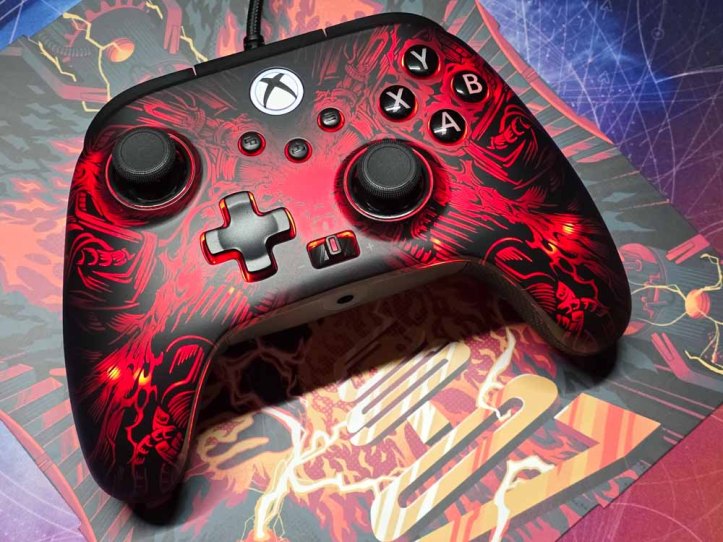
The look of the PowerA Fusion Pro is what sets it apart from the wired Fusion Pro 4 controller. This is best seen on the face of the controller. At first glance, it looks like a regular Xbox controller featuring a silky smooth, matte black finish. That changes once the RGB lights come on and the stealth graphics appear. This is a hidden design that only appears when the Lumectra lighting is enabled. It’s quite an effect and, quite honestly, the best use of PowerA’s Lumectra technology that I’ve seen.
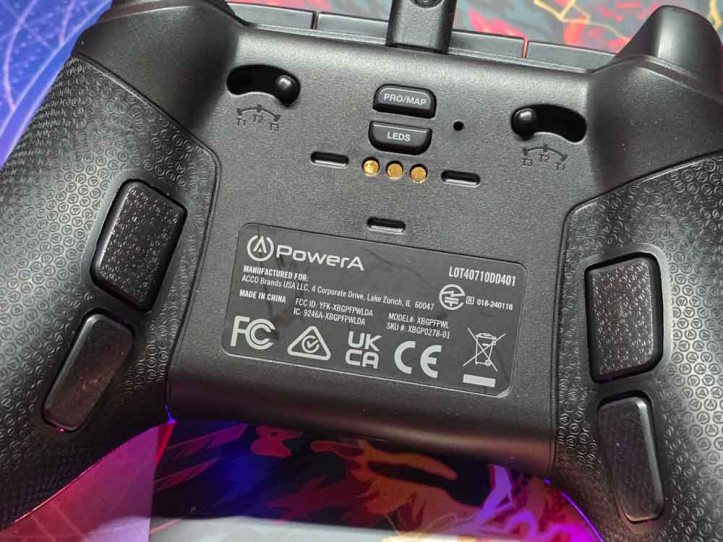
The bottom of the controller is similar to the Fusion Pro 4. The bottom has textured rubber grips that aren’t super rubbery where it feels squishy, and the textures add tactile grip. I also like how the texture elements are tiny PowerA logos. I should note that the back buttons are also textured the same way for consistency.
The back of the controller also features 3-way trigger locks, LED and Programming buttons, and charging connectors for wireless charging.
The top of the controller also has textured triggers and bumpers that feel solid and well-made. The bumpers make a nice clicky noise, while the triggers feel really smooth. These are also textured with tiny PowerA logos.
SPECS
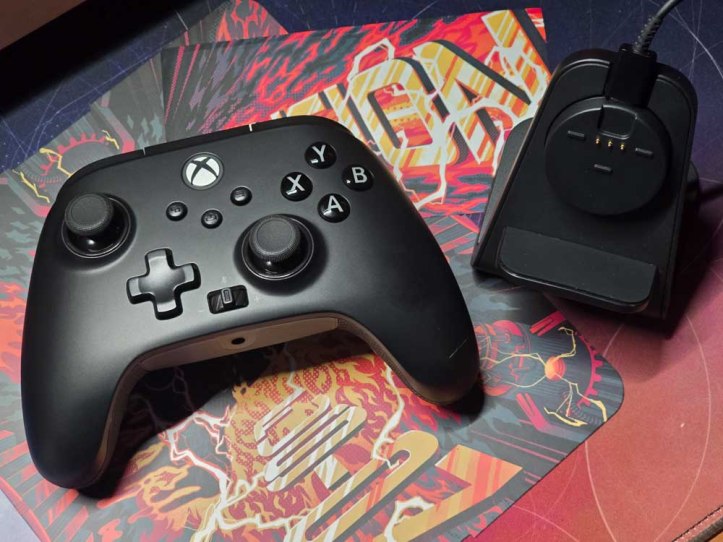
What makes the PowerA Fusion Pro a great controller are several factors. This controller features both Hall Effect Triggers and Sticks, which means no more stick drift. The Hall Effect sensors are more precise and last longer. You also get two connectivity options with the wireless USB dongle and a wired connection via USB-C.
Other notable specs include 3-way trigger locks, 4 mappable buttons on the rear that can be programmed on the fly, textured rubber grips, dual rumble motors and impulse triggers, integrated headset dial with mute, and a 10-foot long braided USB-C cable.
One exciting feature that needed to be pointed out on its own is the Quick-Twist Thumbsticks. I’ve never seen this on any other controller before, and it basically negates the need for swappable thumbsticks. Instead, you can adjust each stick by twisting them, allowing you to change the height into 1-of-3 lengths. This removed a lot of the packaging bulk from previous Fusion controllers since there isn’t a need now for extra sticks, but we also lose the ability to swap out the face plate. I think it’s a fair tradeoff.
The PowerA Fusion Pro also includes a wireless charging stand. You can house the USB dongle in the charging stand, but you can’t use it like a hub. You will still need to pull out the dongle and plug into your Xbox or PC if you want to use your controller wirelessly.
EXPERIENCE
My go to controller before this was a Gamesir G7 SE. While I enjoyed the the PowerA Fusion lineup back in the days, they didn’t have Hall Effect sticks or triggers. Now that the Power Fusion Pro does, it’s part of my controller rotation. This is because it has all the advanced features I want, as well as four programmable back buttons, the new Quick-Twist Thumbsticks, and trigger locks. This makes it one of the most feature rich controllers without the high prices of those other custom pro controllers.
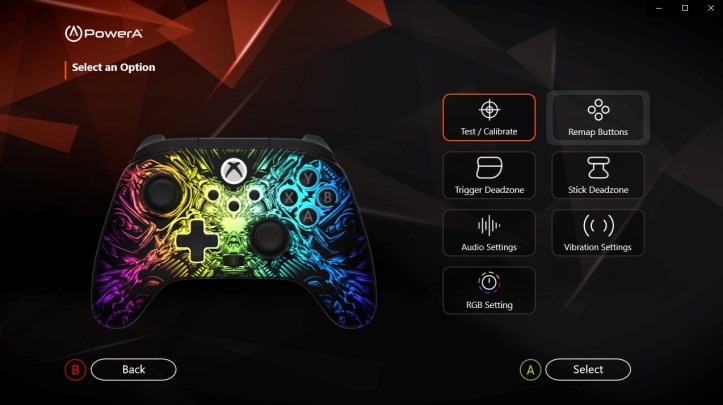
I also quite enjoy the PowerA Gamer HQ app for PC. This lets you customize and fine-tune various aspects of the controller, such as deadzones, vibration settings, audio settings, calibration, and more. While it’s not needed for on the fly button remapping, it is a helpful app for fine tuning.
What I don’t like about the controller is the dongle. While I do like playing wirelessly, I don’t like that the dongle can’t be plugged into the charging stand and used like a hub. Instead, you have to plug the dongle straight into your Xbox or PC while also plugging in the charging stand to charge. That’s two USB ports you need to waste instead of just one. That’s my only real complaint.
FINAL THOUGHTS
The PowerA Fusion Pro is one of their best looking controllers, especially when the Lumectra is turned on. The stealth graphics are really eye catching and the RGB effects are much better than on their other controllers. Like the other controllers in the Fusion line, this has everything a player wants in a controller at an affordable price. I like that this can be used in both wired and wireless modes and everything about it is customizable.
If I had to choose between this or the Fusion Pro 4, I’d go with this if you want something wireless and flashy. Otherwise, get the Fusion Pro 4 and save a few bucks.
SHOP LINK
Thank You for Visiting TheGamerWithKids
I love bringing you guys the latest and greatest reviews whether it be apps or gadgets, but hosting and maintaining a website doesn’t come cheap. If you would like to purchase any of the items mentioned on the site, please do so by clicking our links to Amazon first and then purchasing the items. This way, we get a small portion of the sale and this helps me run the website. Thanks!
This review is made possible with my affiliation with G Style Magazine. These items were sent to us by the company or their PR reps for review and evaluation. It is also featured on the G Style Magazine website which is a tech blog that focuses on the fashion aspect of tech. Please visit their site for more interesting reviews on all your favorite gadgets and gear.
 The Gamer With Kids