
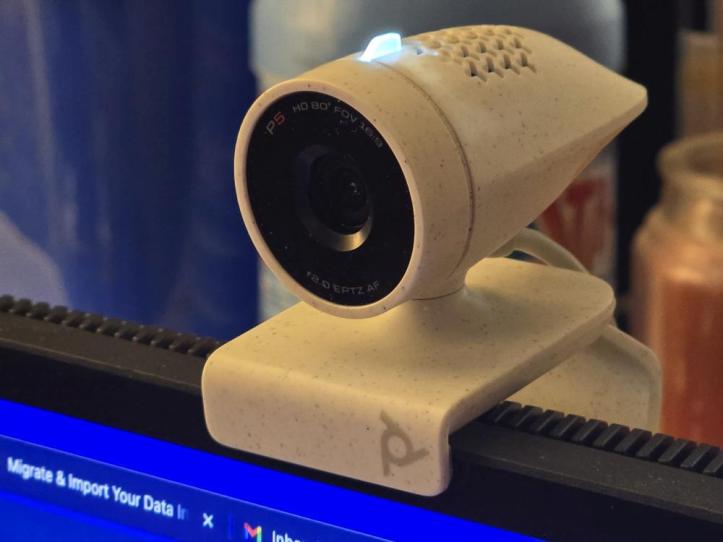
The HP | Poly Studio P5 is a personal webcam for home and office use. It features a 1080p resolution with 4X optical zoom, a directional microphone, simple mounting, and enhanced low-light performance. This can be used with most PCs and Mac computers and can be mounted on top of your monitor or on top of your display on your laptop.
The Poly Studio P5 is an interesting-looking webcam that doesn’t resemble your typical rectangular block. Instead, it’s kind of bullet-shaped with a speckled grey finish. The front is perfectly circular while the rear tapers off into a point. The webcam is attached to a mounting stand, but can be detached. The Poly Studio P5 can then be mounted to a small tripod or anything with a tripod mount screw. The USB cable that attaches to your computer is permanently attached to the webcam, so there’s a possibility of losing it.
One of the Poly Studio P5’s defining features, though, is the lens cover. With a quick twist, you can open or close the lens for privacy or when you need to use it. A light on top lets you know when the lens is active.
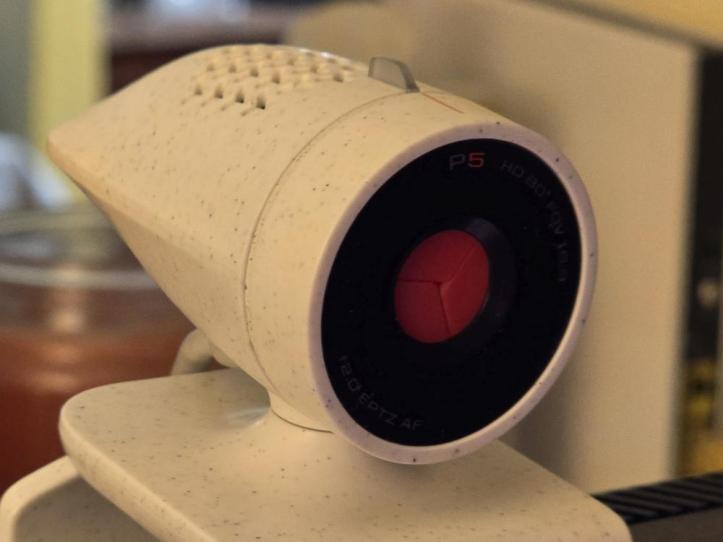
To use the Poly Studio P5, it’s a simple plug-and-play affair. You just need a USB-A port on your computer. I tested this with a Macbook Air M1, but needed to use a hub since this laptop only has USB-C ports. While you don’t need an app for it to work, it’s recommended that you download the Poly Lens app. You’re going to want to because you’ll use it to update the firmware and customize various settings for the webcam.
In terms of video quality, the 1080p video capture is better than what my Macbook Air outputs. It also does quite well in low-light conditions. The mic also generally works with picking up my voice clearly. Overall, I find it to be a good option if you want something better in terms of what comes with most laptops and it’s simple to mount and use.
FINAL THOUGHTS
When it comes to reliable webcams, the HP | Poly Studio P5 is pretty good. I haven’t had any issues using it so far, and the audio and video are pretty good. It’s a solid upgrade for anyone with a laptop that still only has a 720p webcam. What I like about these is the built-in privacy cover and ease of use. If you’re constantly on Zoom, Microsoft Teams, or any other online meeting apps, this is a great solution that won’t break the bank.
SHOP LINK
Thank You for Visiting TheGamerWithKids
I love bringing you guys the latest and greatest reviews whether it be apps or gadgets, but hosting and maintaining a website doesn’t come cheap. If you would like to purchase any of the items mentioned on the site, please do so by clicking our links to Amazon first and then purchasing the items. This way, we get a small portion of the sale and this helps me run the website. Thanks!
This review is made possible with my affiliation with G Style Magazine. These items were sent to us by the company or their PR reps for review and evaluation. It is also featured on the G Style Magazine website which is a tech blog that focuses on the fashion aspect of tech. Please visit their site for more interesting reviews on all your favorite gadgets and gear.
 The Gamer With Kids