

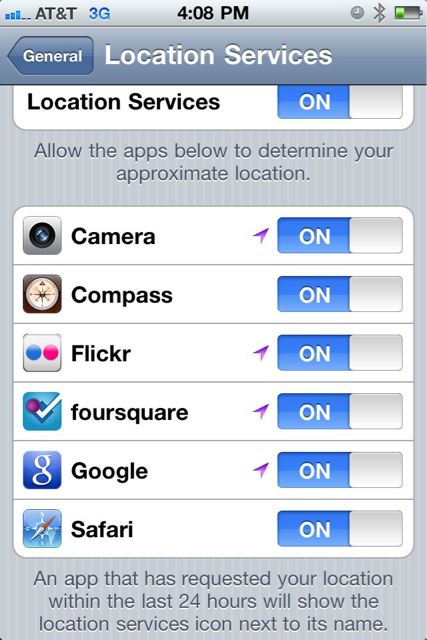
Here is something I noticed this weekend after purchasing my iPhone 4. All weekend, I’ve been noticing a little triangle arrow icon that appears on the top right of my status bar next to the battery icon. Now for the life of me, I couldn’t figure out what it was or why it was there. After looking through all the setting’s menus, I finally figured out that it’s for location services that some apps such as Foursquare or Twitter use to get your location. The icon appears to let you know that the app you are currently using will reveal your location publicly unless otherwise stated. Very handy icon to have as in this day of social media sharing, its sometimes difficult to just “hide” from the world sometimes.
If you don’t want these apps using your location, you can change them in the settings menu under settings>general>Location Services and either turn them all off or just specific apps that you don’t want revealing your location.
 The Gamer With Kids