TGWK’s Tutorials – How to Redeem iTunes Gift Cards and Codes on Your iOS Device
Welcome to our first of many tutorials here on The Gamer With Kids. Since it’s the holiday season, many of you may receive iTunes gift cards or codes and not know what to do with them or how to redeem them. We put this handy tutorial together for you on how to redeem codes in the App Store on your iOS device. Redeeming codes within iTunes on your iOS device is pretty much the same way except that instead of the “Features” tab, you would go into the “Music” tab within iTunes on your device. Click the read more link for the full tutorial.
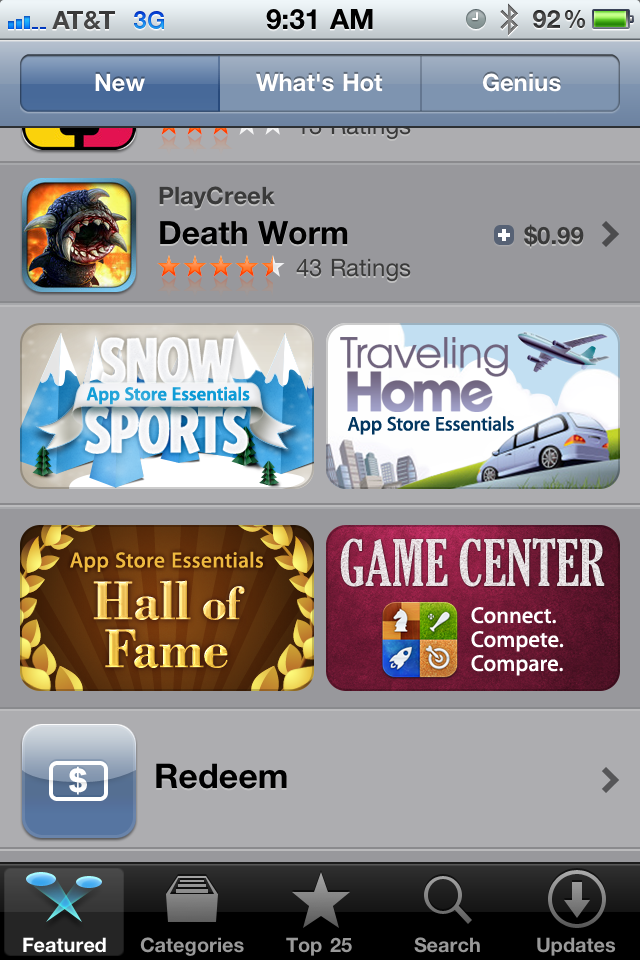
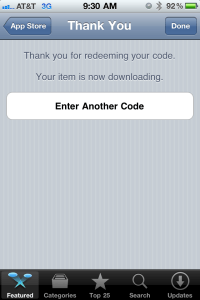
Step 1: Open the App Store app on your iOS device and go to the main Featured tab. You can be in either the "New" or "What's Hot" category. It doesn't matter.Step 2: Scroll all the way to the bottom and you'll see an icon for "Redeem." Click this button.Step 3: Enter the code into the provided space. After doing so and clicking redeem, you'll be prompted for your iTunes account password.Step 4: After entering the code and your iTunes password, you'll be greeted with this screen letting you know that the transaction has been completed. If you go back into your main homescreen, you should now see the app downloading.




 The Gamer With Kids