
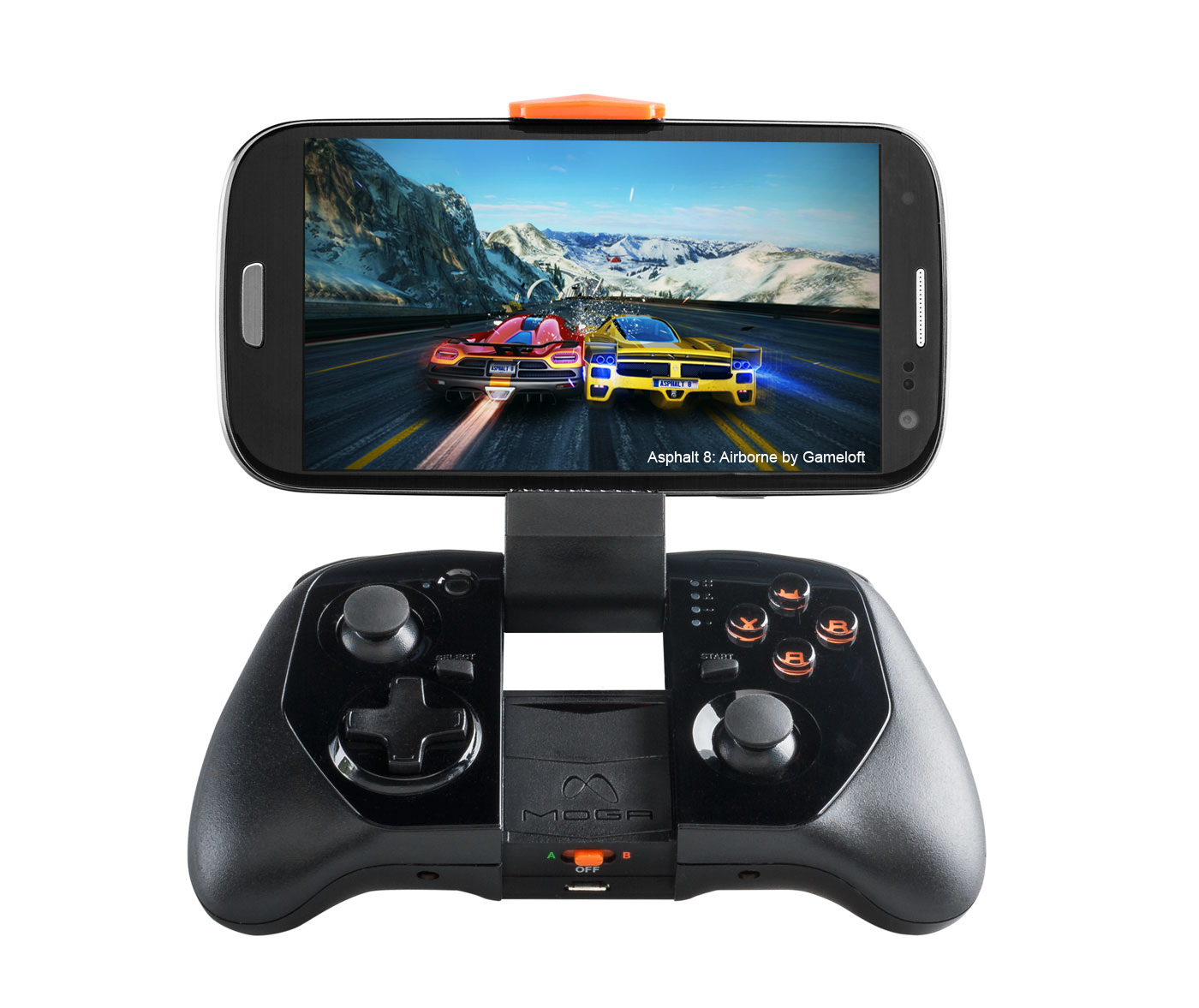
The MOGA Pro Power isn’t the only new gaming controller that MOGA has released this week. For those who want something a bit more portable and less bulky than a full sized controller, but still want all the new features the MOGA Pro Power has, there is the new MOGA Hero Power. This is the smaller brother of the Pro Power and the next evolution of the original MOGA Pocket controller. It’s much smaller than the Pro Power, thinner, narrower, and lighter. It has the same layout as the Pro Power, just everything is smaller, including the build in backup battery which is a 1800mAh unit.
For this review, I went with a slightly smaller Samsung Galaxy S4 for my tests instead of the larger Galaxy Note 3. It still fits the Note 3 with ease, but I think the phone is just a tad bit too large looking for the smaller controller.
Design
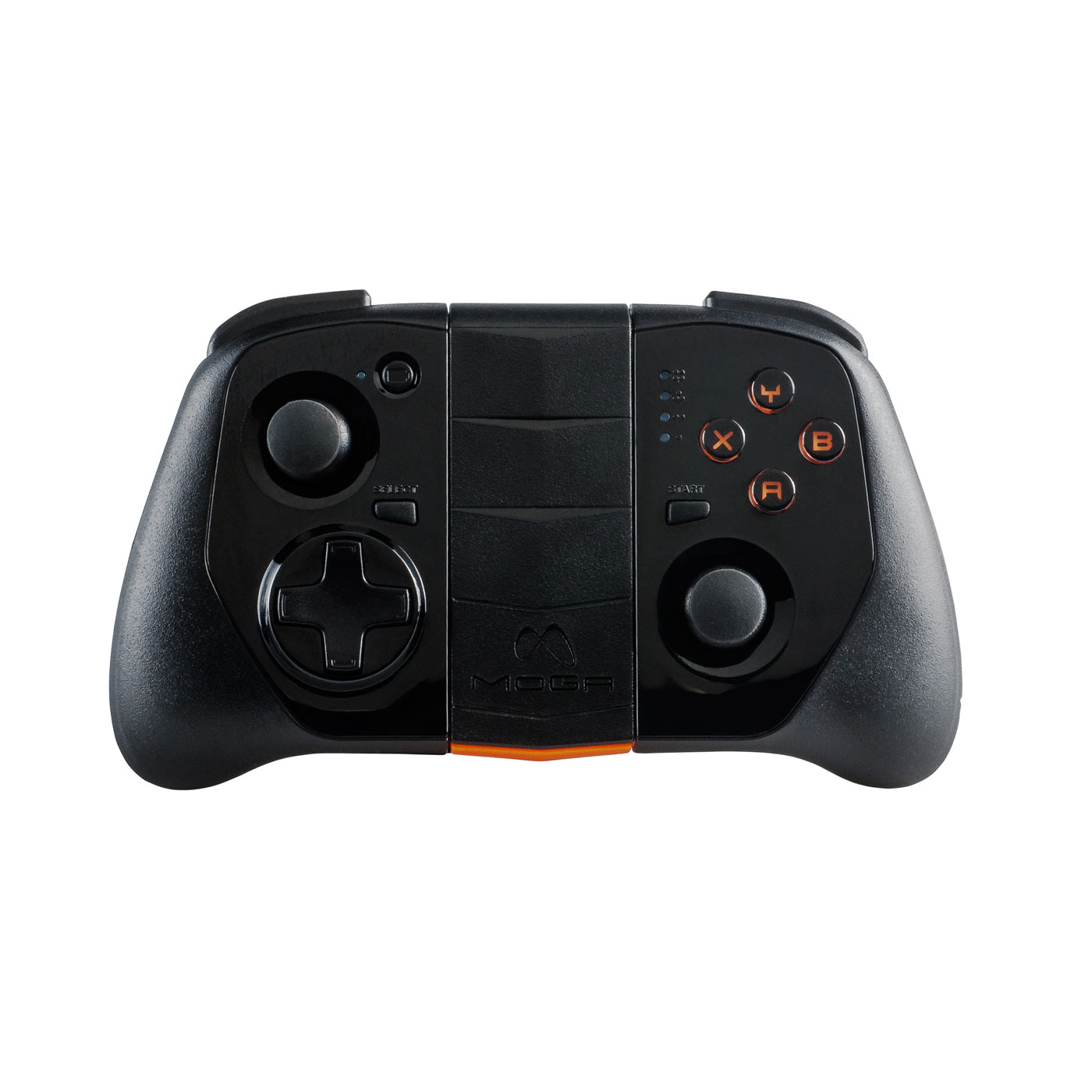 The MOGA Hero Pro is smaller in design than the full sized Pro Power. The main difference being that it does not have the larger, longer palm grips. Not only that, the controller design is much thinner overall allowing it to be more portable. It is about half the height of the Pro Power and 2/3rds the length.
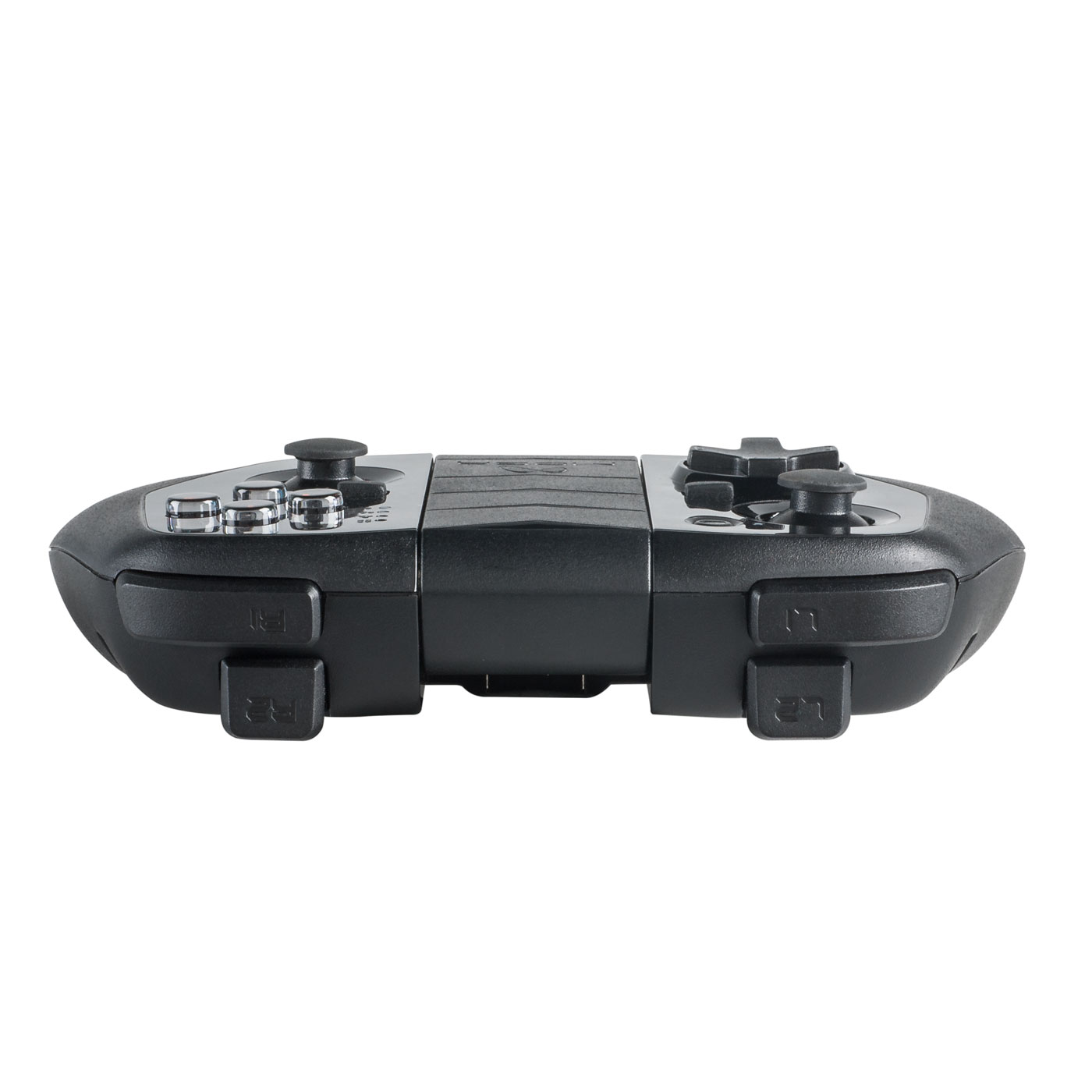
Everything else on the controller itself is also smaller. The control sticks are tiny when compared to the Pro Power, though they are just as grippy and responsive. They have the same springiness to them as their larger counterpart. The directional pad is also a bit smaller as are the four action buttons which are maybe half the size. Same goes for the two shoulder triggers which aren’t as long, though the shoulder buttons seem larger for some reason.
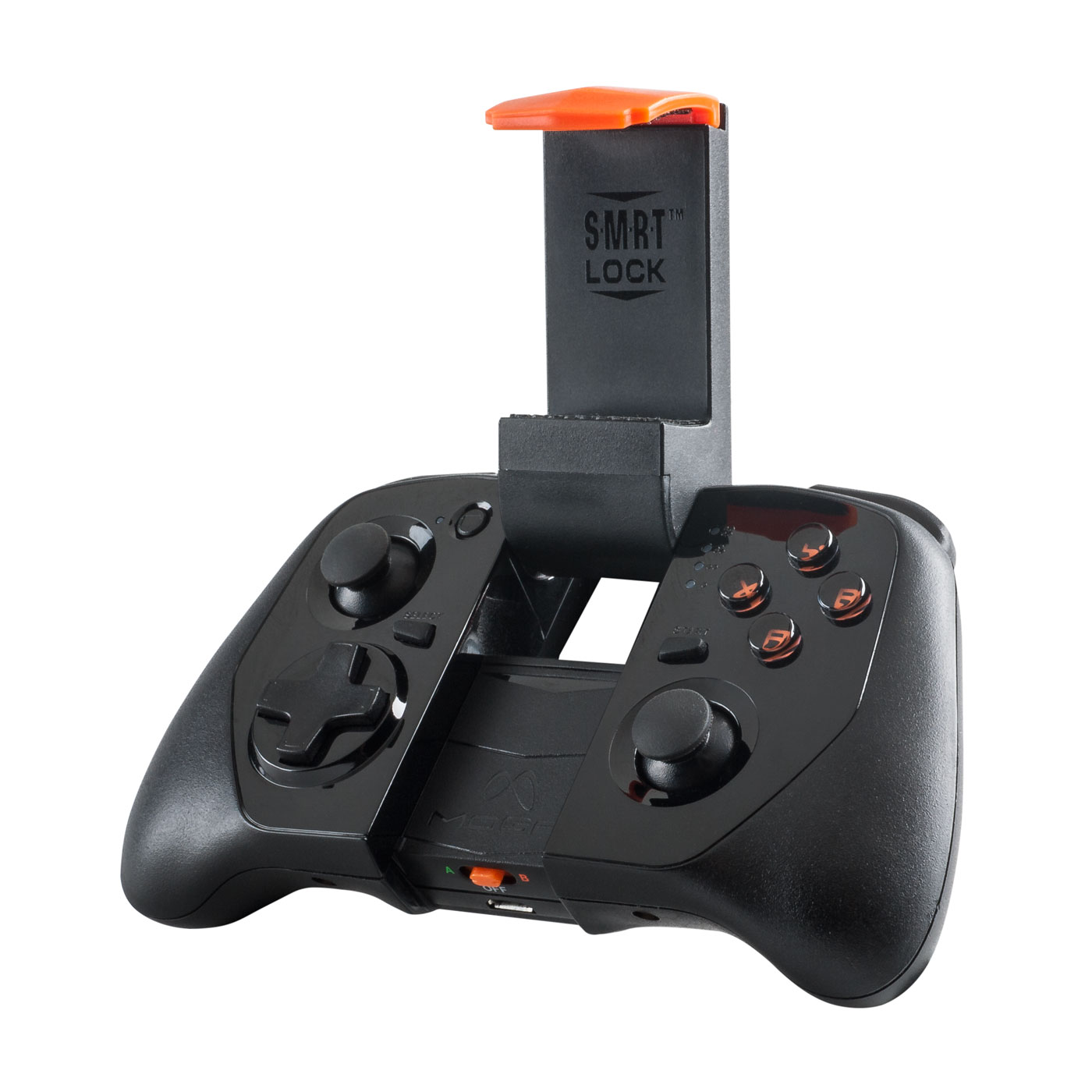 The controller itself also looks just as nice as the Pro Power with an all gloss black face surrounded by a matte black body. It too does not have any rubber grips giving it a cleaner look. The middle of the controller still features MOGA’s signature design element, the S.M.R.T Lock arm which will accommodate most sized Android devices. though I’m using this with a Galaxy S4, it has no trouble accommodating a Galaxy Note 3. The Hero Power also has splashes of orange here and there just to accentuate the important areas of the controller.
Now, I’ve never used the original MOGA Pocket controller before, but the MOGA Hero Power is pretty small. It’s not tiny where it’s uncomfortable but it’s not huge where it won’t fit in your pocket. That’s right, the MOGA Hero Power is small enough to git in your pocket yet just as powerful and feature rich as the Pro Power. Thanks to the weight from the 1800mAh battery, it doesn’t feel like a cheap toy either and is just as well made and high quality as the Pro Power. The ports on the Hero Power are a little bit different though in order to accommodate the smaller size. The backup battery port is still located on the rear while the actual charging port is located under the S.M.R.T. Lock arm so you’ll need to pop this open in order to charge.
Of course the MOGA Pro Power include the hidden power switch for A and B modes. Which mode you choose is dependent on the game you are playing. Most of the time, it’ll be A, but there are a handful of games that use the B mode.
Key Features
- Portable, slim design for gaming on-the-go
- Charges your phone while you play with a rechargeable 1800 mAh battery
- Setup is as easy as 1, 2, 3
- Offers precision controls with dual clickable analog sticks, shoulder buttons, shoulder triggers, a D-pad, and four action buttons
- Multiplayer-ready
- Keeps the fun rolling with an ever-growing library of 125+ games
- Secures the largest smartphones—up to 3.2 in/82 mm wide—with S.M.R.T. Lock technology
- Pairs with your Android smartphone or tablet via wireless Bluetooth connection
- Includes USB charging cable and MOGA Boost charging cable
- Compatible with Android 2.3+ devices
Usage
Here is where everything is exactly the same as the MOGA Pro Power. It does everything exactly the same as its larger brother, just in a smaller package. And just like the Pro Power, you need to pair it the same way. You need to first download the MOGA Pivot app from the Google Play Store and use that to setup your device. The app will allow you to set up both A and B modes and also acts as a central hub for all MOGA compatible games. Setup is a breeze with the app and it guides your through every simple step.

Once everything is setup, the app will let you know whether or not you already have MOGA compatible games installed on your device as well as which games you can download if you don’t. The games list basically shows you what is compatible but takes you to the Google Play store to download the games. Some are free while some are pay. For my tests, I chose some of the more recent games out right now just to test out responsiveness.
I started out with Dead Trigger 2, one of the hottest games out right now by MADFINGER Games. It is a first person shooter in which you basically go on survival missions while fending off hordes of zombie. I’ve played this with and without the controller and while it is playable without, it’s not very comfortable nor very accurate. With the MOGA Pro Power, you’re able to move more precisely with extra buttons on the controller that control certain features you can not really do on the touchscreen. Also, your hands don’t get as tired nor do your thumbs slide around while trying to move.
 Another game I tested this out on was Into the Dead which is a zombie themed endless runner from Pik Pok games. Normally on this game, you would either use tilt controls to move and tapping the screen to shoot, but with the controller enabled, you would use the control stick to move and the trigger to fire. In my opinion, it’s much more natural using the control stick to move and not having to tap on the screen means you can see more of it.
Which brings me to the real benefit of the MOGA Hero Power. Much more of the screen is used for being able to see and experience the game now instead of having portions of it covered by your hands.
If you find that your Android device is running low on power, just connect the included, short lengthed USB cable to attach one end to your device and one end to the controller. The shorted cable means it’s not in your way and you can continue playing without being interrupted by an unexpected shut down.
Final Thoughts
The MOGA Pro Power may be the top of the line controller to get for those serious about mobile gaming, but the MOGA Hero Power is for those who care about portability but still want the benefits of occasionally playing both casual and hardcore games. I actually like the smaller size of the Hero Power as it takes up much less space than the Pro Power and I think it’s a great controller to carry around while on the go. It might not be as comfortable as the larger controller, but it gets the job done and all in an easy to set up package.
The MOGA Hero Power is available for purchase now and costs $59.99. This is $20 less than the MOGA Pro Power for those who might want to save a little bit of money while still getting the same features and benefits. Yes, the battery is a little bit smaller, but you’ll still be able to add a few hours to your game time while still being able to carry this around in your pocket. You can pick up your own MOGA Hero Power here – POWER A MOGA Hero Power.


Please Support TheGamerWithKids
I love to bring you guys the latest and greatest reviews whether it be apps or gadgets. However, I can’t keep doing that unless we have your continued support. If you would like to purchase any of the items mentioned on the site, please do so by clicking our links to Amazon first and then purchasing the items. This way, we get a small portion of the sale and this helps me run the website.
 The Gamer With Kids
[…] first glance, the MOGA Ace Power looks very similar to the MOGA Hero Power. It too has a slim design but with much flatter analog sticks. The Ace Power is also almost […]