
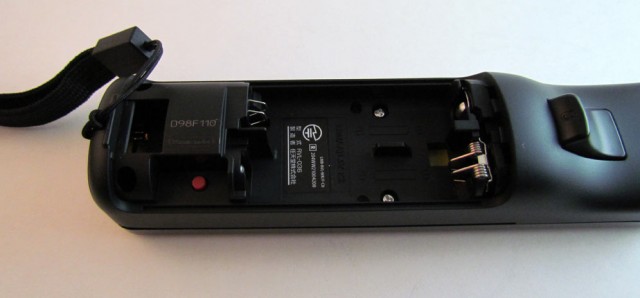
Many of you probably received Nintendo Wii’s this holiday season and also probably picked up a few extra controllers too. One of the most frequently asked questions is how do you sync your remotes to work with your new Wii?. It can be quite frustrating getting the sync to work, but it’s actually a surprisingly easy thing to set up once you know how to do it.
Step 1 – Turn on your Nintendo Wii console.
Step 2 – Remove the battery cover on your Wii remote. Make sure you have new batteries installed.
Step 3 – Press the red sync button on the controller. The 4 main player lights will blink blue continuously.
Step 4 – On your Wii console, open the SD Card slot door. You’ll see another red sync button there. Press it. (Only press once. Do not need to hold down the button.)
Step 5 – After a few seconds, the remote should stop blinking and now only show 1 light indicating the player number on the remote.
Step 5 – Repeat for other remotes you want to sync.

